

Tips, Tricks and Video Tutorial
Articles from the BioBam blog
March 16, 2017
White sequences in CloudBlast and CloudIPS
CloudBlast and CloudIPS need Cloud Units to work.If all Cloud Units have been consumed CloudBlast and CloudIPS will stop. Consumption depends on what you are
February 25, 2017
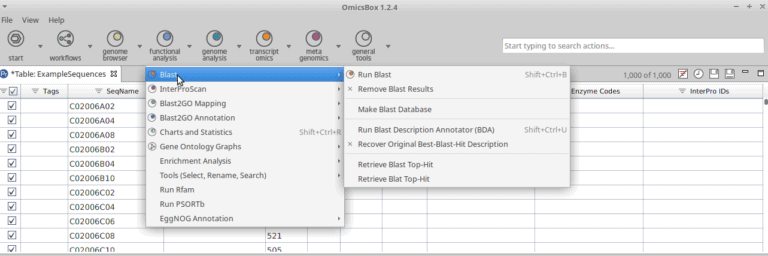
Run blast icon greyed out in OmicsBox
After loading the sequences, the run blast icon is greyed out in OmicsBox, why? It is possible to load more than one project into OmicsBox
January 31, 2017
Enrichment analysis on 2 groups of sequences
It is possible to perform a Fisher Exact Test on the 2 groups even if the annotation is in different files (.annot). First, both .annot

September 8, 2016
How to perform a Gene Set Enrichment Analysis (GSEA)
This article explains what a Gene Set Enrichment Analysis (GSEA) is, how it works and how to use it with OmicsBox. What is an enrichment

June 27, 2016
How to Change the Temp Folder Location for Blast2GO
OmicsBox/Blast2GO can handle big data, but it needs plenty of free disk space in the systems temporary files folder. If you run into troubles with
June 27, 2016
How to Set Maximum Memory for Blast2GO
OmicsBox/Blast2GO automatically reserves up to 80% of the available system memory (i.e. RAM), which is fine in most cases. However, sometimes and especially on Linux,
June 23, 2016
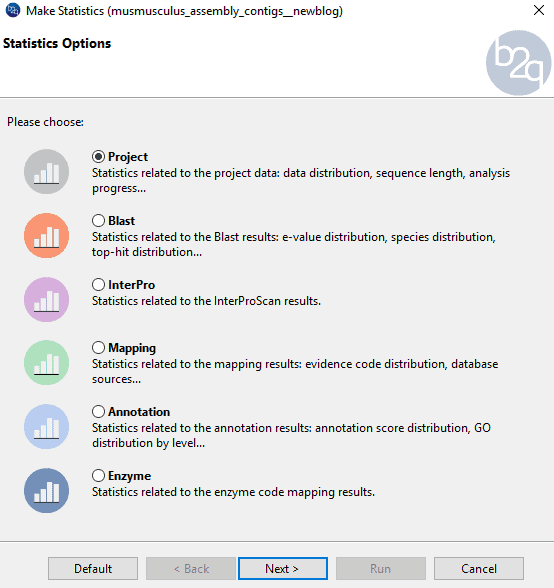
Analysis Progress Chart
How to know if all your sequences have been analyzed The Analysis Progress chart is a very useful representation, which shows the step of the

June 8, 2016
Tutorial: some parts of the application are not working.
(Show Blast Results, Welcome Part, Create Workflow) running Linux system. This applies to OmicsBox or Blast2GO 5. You need to install some packages depending on
June 2, 2016
How to run Blast2GO installer in Linux systems?
To the Blast2GO installer in Linux systems follow the next steps: 0. Open a terminal in the folder where you have downloaded the installer. 1.